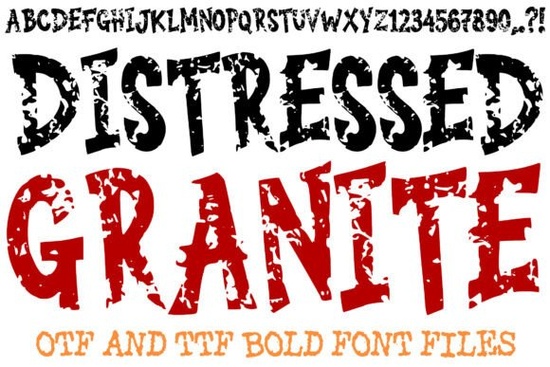
If you are building a poster for a local music venue, designing a cover for a dark fantasy novel, or printing custom streetwear, you need a typeface that immediately sets a tough, weathered mood. The Distressed Granite Font delivers exactly that by combining thick, blocky letterforms with a dark stone texture that looks carved from ancient rock. It skips unnecessary decorative flourishes and focuses on raw impact, making it a practical choice for creators who want their text to stand out on fabric, paper, or digital screens. You can use it across a wide range of commercial projects without worrying about thin strokes that disappear during cutting or printing.
What projects actually benefit from a heavy stone texture typeface?
Heavy display typefaces work best when you need your text to act as the main visual element. Because each character features sharp, jagged edges and a cracked obsidian pattern, you can use it as a focal point on merchandising templates, event flyers, and podcast thumbnails. Small business owners often struggle to find a bold grunge style that stays readable against busy backgrounds. The thick strokes solve that problem by keeping high contrast between the text and underlying imagery.
If you work with print-on-demand platforms, layering this style over neutral t-shirts or dark tote bags creates a strong industrial vibe. You might also pair it with softer, rounded lettering for mixed-media collages when your client wants a balance between harsh textures and gentle layouts. Urban streetwear brands frequently use this approach to blend aggressive typography with clean, minimalist garment designs, giving buyers a polished final product that feels intentional rather than cluttered.
How do the limited uppercase characters and numbers work in practice?
You might notice right away that this set only includes capital letters, punctuation marks, and numbers. That is a deliberate choice for a display typeface. Since it lacks lowercase letters, it is meant for short headlines, logos, and short phrases rather than long paragraphs. When you design a book cover or an album poster, keeping the main title in uppercase creates a clean, uniform block that feels solid and unbreakable. Many crafters appreciate this limitation because it removes guesswork during layout adjustments.
You only need to type the exact phrase you want, and the heavy block shapes automatically align. If you need to add secondary text like release dates, sizing charts, or website links, the included numbers and punctuation keep everything visually consistent. You can also download matching script styles for signature lines or product labels to give buyers extra options in your shop. Keep in mind that display fonts like this thrive on spacing, so increasing tracking slightly often improves readability when scaling for large formats.
Which design workflows pair well with rugged display letters?
Whether you cut vinyl for a garage door decal, print on kraft paper for packaging, or mock up social media ads in your preferred design software, having both OTF and TTF files gives you complete flexibility. The intricate mineral veins inside each character do not flatten out when scaled down, which means you can use it for everything from large banners to small sticker sheets. Industrial workshops and outdoor survival brands naturally lean toward this aesthetic because it mirrors real-world materials like weathered concrete and rough-hewn rock.
If you are exploring similar rugged display options for heavy branding, compare stroke weights and texture density before committing to a full layout. Remember to keep your background colors muted so the cracked details do not get lost in high-contrast overlays. Always test a print proof before running a full batch, especially when working with dark ink on dark substrates.
What should you check before sending your files to production?
Preparing a bold, textured typeface for commercial use requires a few quick quality checks. First, convert the text to outlines or embed the font files to avoid substitution errors at the print shop. Next, verify that the stone texture remains sharp at your target print size by viewing the document at one hundred percent zoom. If your cutting machine struggles with the outer edges, try simplifying the path nodes or adding a thin stroke to maintain clean cuts. Finally, save a flattened backup copy alongside your editable layer file so you always have a fallback version ready.
Follow this short checklist before launching your next layout:
- Use only short phrases or single words to maintain readability.
- Place the text on solid or lightly textured backgrounds to let the stone details breathe.
- Adjust letter spacing slightly if the aggressive outer edges overlap.
- Export your artwork at high resolution to avoid blurring the cracked patterns.
- Keep both OTF and TTF files backed up in an organized project folder for future reprints.
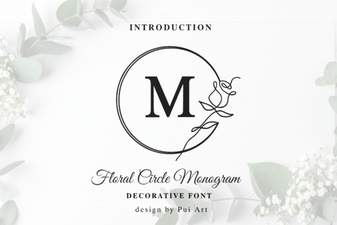 Floral Circle Monogram Font Designs for Your Projects
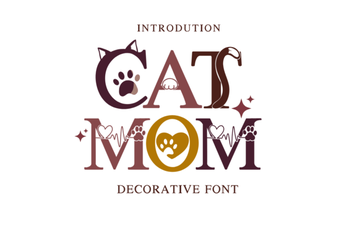 Download Cat Mom Font Designs for Your Creative Projects
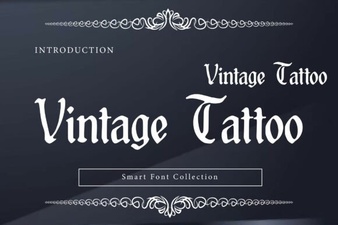 Creative Uses for Vintage Tattoo Fonts
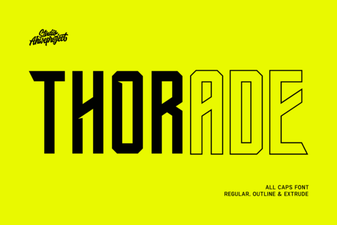 Thorade Font: Modern Design & Creative Projects
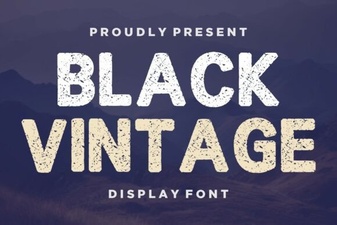 Retro Black Fonts for Classic Design Projects
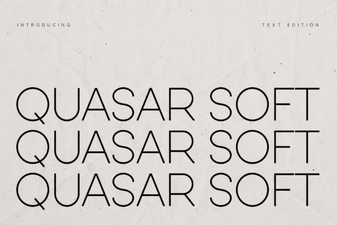 Design Your Project with Quasar Soft Font