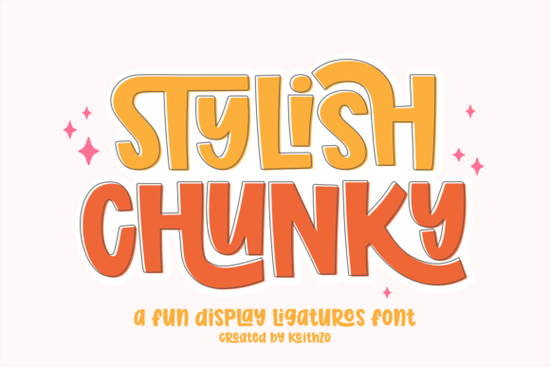
When you are looking for a typeface that instantly grabs attention without feeling overly aggressive, the Stylish Chunky font fits right into your design workflow. Its heavy weight and rounded edges give it a friendly, retro-modern feel that works across digital and physical products. I have tested display typefaces like this for tote bag mockups, sticker packs, and social graphics, and the biggest advantage here is the readability. Even at smaller sizes, the thick strokes stay clear, and the letters do not blur into each other. This makes it a reliable choice for creators who need text to perform well on busy screens and printed fabrics.
Which projects work best with thick, rounded lettering?
If you are planning to sell physical goods or digital templates, heavy display fonts naturally draw the eye to the main message. Here are the most practical ways to apply this typeface:
- Apparel and canvas totes where high contrast matters
- Die-cut stickers that need bold borders and clean readability
- Product packaging for coffee, candles, or snack brands
- Short social media quotes that need to stop the scroll
- Logo lockups for youth-focused or playful service businesses
The heavy weight also means you can pair it easily with thinner, more neutral body fonts. Try combining it with a clean sans-serif to keep the overall layout balanced and let the headline carry the visual weight.
How do the built-in ligatures change your workflow?
Traditional display fonts often leave you manually adjusting kerning and trying to overlap letters in design software to fake a connected look. With automatic ligatures, you simply type your phrase and the program handles the connection points. This saves hours when you are batching designs for multiple clients or seasonal collections. You also get full language support, uppercase and lowercase characters, and numbers, so you are not limited to short words. If your design style leans toward gritty textures, you might compare it against Black Vintage to see which mood fits your brand voice better. For projects that need a sketch-like finish, pairing your layout with Crayon Brush can add hand-drawn warmth without overwhelming the main headline.
What file formats and licensing should you check before commercial use?
When buying a typeface online, always confirm the license matches your intended use. This font comes with a standard commercial license that covers print-on-demand products, digital downloads, and small-batch merchandising. The files typically include OTF and TTF formats, so they load correctly in Procreate, Canva, Adobe Illustrator, and cutting software. If you plan to use the letters for laser cutting or vinyl weeding, remember to expand the text to paths first. Thick shapes cut cleaner than thin ones, which is why heavy weights perform better in craft applications. Designers who work with layered typography often keep a folder of outline-heavy typefaces for quick reference, and browsing the Thick Outline section can give you more options for that exact technique.
How can you pair heavy display type without making layouts look crowded?
The most common mistake with bold typefaces is overusing them on a single canvas. A chunky headline should carry the primary visual weight while secondary text stays minimal. Stick to two type families per layout: one for the headline, one for body copy or fine print. Increase line spacing slightly so the rounded terminals have room to breathe, and avoid placing the text over busy photo backgrounds unless you add a solid color overlay. High contrast keeps reading smooth. If your brand prefers a softer, more playful direction, exploring Retro Bubble will show how similar proportions can shift the overall tone toward lightheartedness. You can also test color blocking by placing the text in a single bright hue against a dark background. For even more texture-heavy options that complement rounded forms, checking out the Wildnest collection helps broaden your stylistic range.
What should you verify before sending your design to print?
- Convert text to outlines before uploading to prevent missing font errors.
- Preview the artwork at 100 percent zoom to check ligature connections.
- Export print files at 300 DPI in CMYK color mode.
- Run a mockup test on your actual product material before bulk orders.
- Save an editable layered version so you can swap quotes quickly later.
Once your files are prepped, place a small test order. Physical prints always reveal slight shifts in spacing or color that screens hide. Adjust tracking if needed, and keep your layout simple so the bold typeface does the talking.
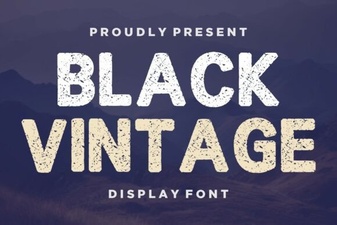 Retro Black Fonts for Classic Design Projects
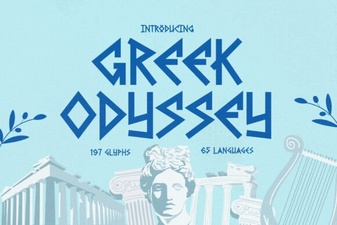 Greek Odyssey Font for Digital Design Projects
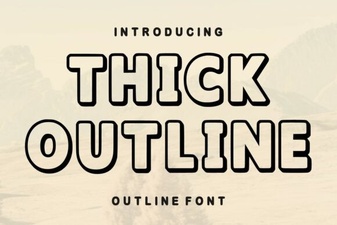 Thick Outline Fonts for Bold & Creative Designs
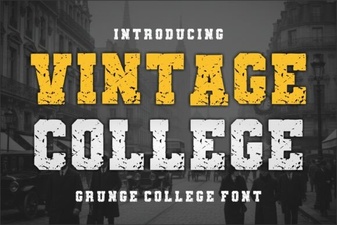 Designing with Vintage College Fonts
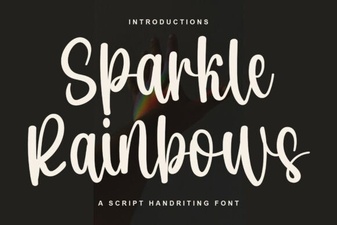 Sparkle Rainbows Font: Elegant Design for Creative Projects
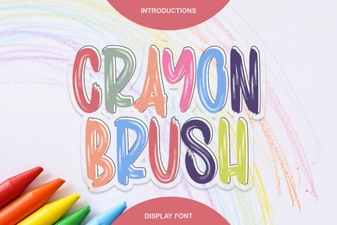 Creative Projects with Crayon Brush Fonts